![bb-mark-sq-blk@3x.png]](https://buyer.brandboom.com/hs-fs/hubfs/bb-mark-sq-blk@3x.png?height=30&name=bb-mark-sq-blk@3x.png)
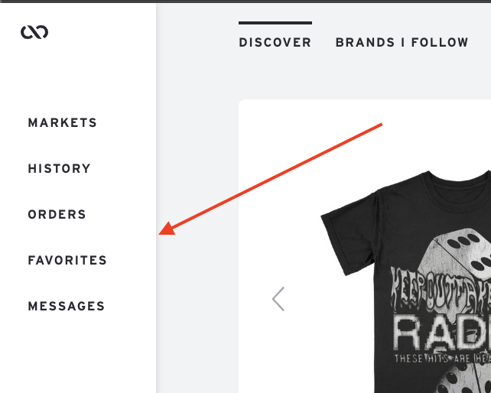
TIP: To navigate back to the home page, simply click on the Brandboom logo located in the upper left corner of the screen.
Markets - Display all virtual trade shows and Brandboom Marketplaces that you have accessed and registered for. Markets will not show up if you have not signed up for any Marketplaces.
History - These are all the presentations that you have viewed. You have the option to sort these presentations by either the most recent view or alphabetically.
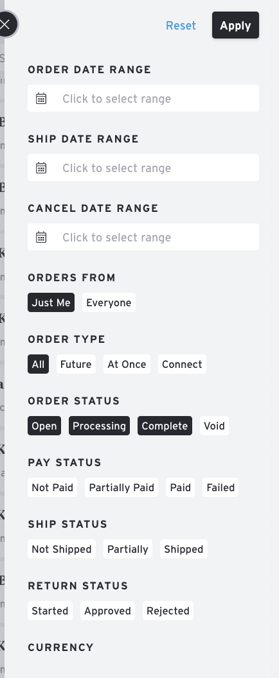
Orders - All orders regardless of status (Open, Void, Completed, etc.) You can also filter these orders by team member, order date, ship date, cancel date, etc.
NOTE: Orders that have been deleted will not appear in this section.
Favorites - You can easily access all the products you have favorited here, making it convenient to revisit them when you are ready to place an order.
Messages - This section displays all the messages you have sent as well as messages received from the seller.